How to fix WordPress admin styles not loading
Every style in my WordPress admin was gone, and I couldn't tell what was wrong.
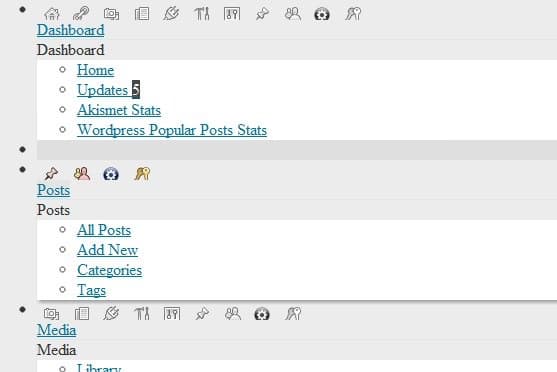
I reinstalled WordPress a couple of times with no luck. Well over an hour of articles and suggested hacks later, I finally found the fix buried in a sketchy-looking site. I didn't think to save the URL, or I'd credit the author. But it worked.
One disclaimer first: I don't encourage hacking WordPress core. In the moment, all I wanted was my admin back so I could work.
In wp-admin/load-styles.php, find this line:
error_reporting(0);And change it to this:
error_reporting( E_ALL | E_STRICT );Then refresh the admin screen a few times, and the styles come back.
You don't need to keep the edit. Once the styles return, revert the line and everything keeps running. I have no idea why that works.
A reader let me know that adding this to wp-config.php, above any require_once calls, works too — no core file hacks involved:
define( 'CONCATENATE_SCRIPTS', false );
define( 'SCRIPT_DEBUG', true );
I doubt this fixes every case of missing admin styles, but it fixed mine. Hopefully it saves you the hour I lost.